Short answer: The best UX practices and principles are: user-centricity, consistency, hierarchy, accessibility, feedback, simplicity, error prevention, and recognition over recall. Apply them as a checklist on every design decision — they’re the durable rules behind every usable interface. (Further reading: NN/g — 10 usability heuristics.)
📅 Last updated: June 6, 2026
⏱ 4 min read · 983 words
This article is part of our guide on the core principles of UX design.
Good design isn’t about making things look better.
It’s about making things work better.
Users don’t come to your product to admire visuals—they come to complete tasks. And if they have to think too much, hesitate, or figure things out, the experience breaks.
That’s where UX design comes in.
The best Digital products today follow clear UI and UX Principles that make interactions feel simple, predictable, and effortless. And when those principles are applied correctly, users don’t just use your product—they trust it.
Why UX Design Principles Matter More Than Trends
Design trends change every year.
But user behavior doesn’t.
People still want:
- Clarity
- Speed
- Ease of use
Following trends without understanding fundamentals leads to flashy but confusing interfaces.
Strong UX is built on principles—not trends.
Even the most advanced UI/UX Design Agency focuses on usability first, aesthetics second.
The Core Principles of UX Design
Let’s break down the principles that actually make a difference in real-world products.
1. Clarity Over Creativity
If users don’t understand your interface, creativity doesn’t matter.
Every element should answer one question:
“What does this do?”
Clear labels, simple layouts, and familiar patterns always outperform complex, “innovative” designs.
Clarity reduces friction—and friction is what drives users away.
2. Consistency Builds Trust
Users learn your interface quickly.
But only if it behaves consistently.
Buttons, navigation, and interactions should work the same across the entire product.
When things change unexpectedly, users feel lost.
Consistency is one of the most underrated ui and ux principles, yet it has a direct impact on usability.
3. Feedback Creates Confidence
Users need to know their actions worked.
Simple feedback like:
- Button states
- Loading indicators
- Success messages
Helps users feel in control.
Without feedback, even a working system feels broken.
4. Simplicity Reduces Cognitive Load
The more users have to think, the worse the experience becomes.
Good UX removes unnecessary decisions.
- Fewer steps
- Clear actions
- Focused content
Simplicity isn’t about removing features—it’s about removing confusion.
5. Accessibility Is Essential
Design should work for everyone.
That includes:
- Readable text
- Clear contrast
- Easy navigation
Accessibility is no longer optional—it’s part of modern UX standards.
And it directly improves usability for all users, not just those with specific needs.
Best Practices That Strengthen UX Design
Principles define the “why.” Best practices define the “how.”
Here’s how they translate into real work.
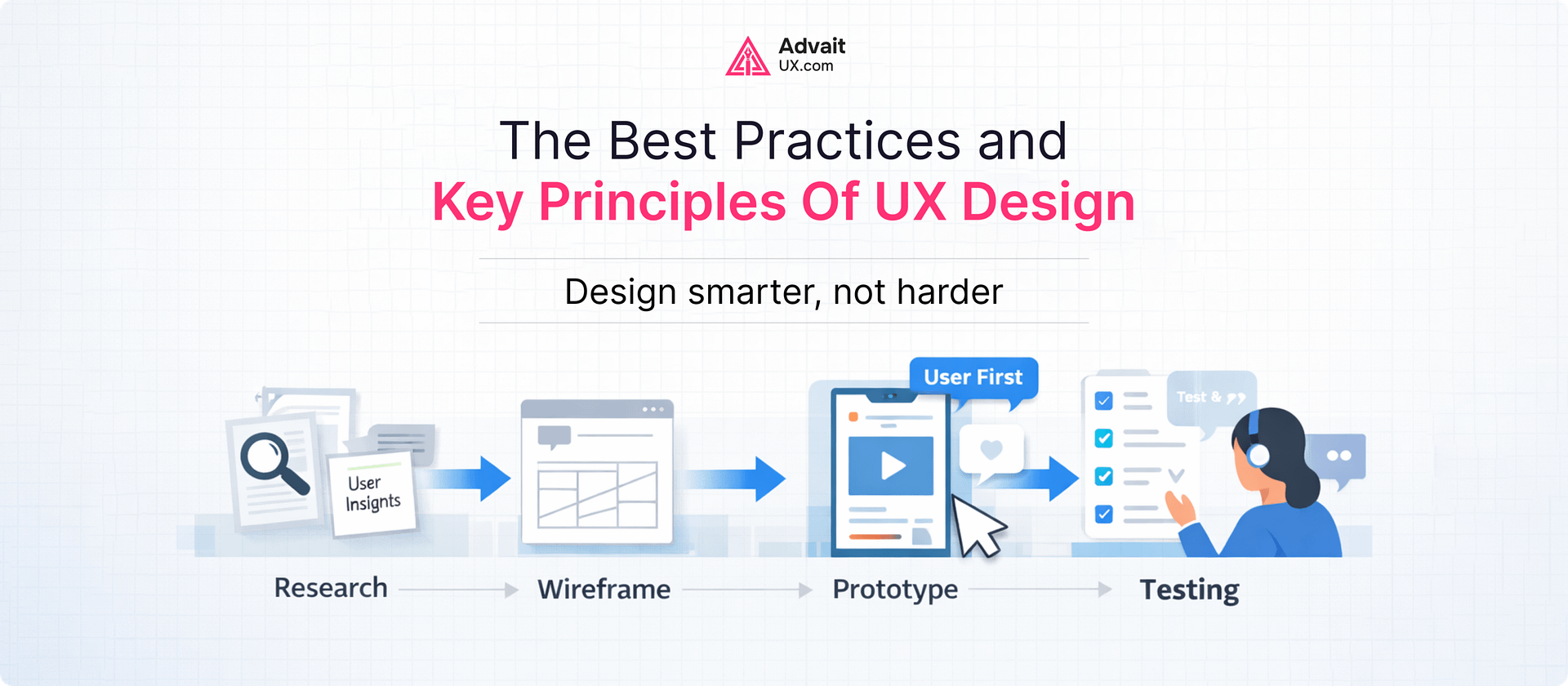
Understand Users Before Designing
Design decisions should never be based on assumptions.
Research helps you understand:
- User goals
- Pain points
- Behavior patterns
Without this, even the best-looking design can fail.
Design for Scanning, Not Reading
Users don’t read every word.
They scan.
That’s why:
- Headings should stand out
- Content should be structured
- Important information should be easy to find
This improves both usability and engagement.
Keep Navigation Predictable
Users should always know:
- Where they are
- Where they can go
- How to go back
Confusing navigation is one of the fastest ways to lose users.
Optimize for Speed and Performance
Slow interfaces frustrate users.
Fast-loading pages and smooth interactions improve retention.
Performance is part of UX Design_ not just development.
Test and Improve Continuously
Good UX is never finished.
Testing helps identify:
- Friction points
- Drop-off areas
- Usability issues
Even small improvements can lead to better engagement and conversions.
The Role of UI UX Design Trends
Trends can enhance UX—but only when used correctly.
Some current UI UX Design Trends include:
- Minimalist layouts
- Bold typography
- Micro-interactions
- Dark mode interfaces
But trends should support usability—not replace it.
If a trend makes your interface harder to use, it’s not worth following.
Where Most Businesses Get UX Wrong
Many teams focus on how things look instead of how they work.
They invest in:
- Visual design
- Animations
- Branding
But ignore:
- User flow
- Interaction clarity
- Usability testing
The result is a product that looks good—but doesn’t perform.
A professional ui/ux design agency approaches design differently.
It starts with understanding users—and ends with solving real problems.
A Practical Insight from Real UX Work
In real-world projects, most UX issues come from small gaps:
- Too many steps in a flow
- Unclear button labels
- Inconsistent layouts
Fixing these doesn’t require a full redesign.
It requires clarity.
At AdvaitUX, we’ve seen how simplifying flows and improving structure can significantly increase engagement—without adding new features.
Because better UX isn’t about more. It’s about better.
Final Thoughts: UX Is How Your Product Feels
Users don’t judge your product by features alone.
They judge it by how easy it feels.
- Can they complete tasks quickly?
- Do they understand what to do next?
- Does the experience feel smooth?
That’s what defines good UX.
The best products don’t force users to think.
They guide them naturally.
Want to Improve Your Product Experience?
If your product feels confusing, slow, or inconsistent, the problem isn’t always design—it’s experience.
At AdvaitUX, we focus on building interfaces that are simple, usable, and aligned with real user behavior.
Explore our
services
Or connect with our team to discuss your project. We’ll help you create a product that users don’t just use—but enjoy.
💡 Working on your own product? Start with a structured UX audit to surface the highest-impact friction in 1–3 weeks, or get in touch to scope a project with our Austin-based team.
About the Author
Darshan Italiya is the Founder & UX Lead at AdvaitUX, a UI/UX design agency based in Austin, TX. A Google-certified UI designer with 7+ years of experience and 70+ shipped product designs, he writes about user-centered design, UX strategy, and conversion-focused interfaces. Learn more about AdvaitUX or connect on LinkedIn.