Key Takeaways
- UX strategy is not decoration — it’s a business decision-making framework that connects user needs to company goals.
- Products without a UX strategy tend to accumulate features nobody asked for, while missing the ones users actually need.
- Understanding users early reduces costly redesigns and prevents building the wrong thing well.
- Retention, activation, and conversion rates are all downstream effects of UX decisions made (or skipped) earlier in the process.
- SaaS companies especially depend on UX strategy because their growth is tied directly to how easily users reach value inside the product.
- A strong UX strategy turns design from a cost center into a growth lever.
- Businesses that treat UX strategy as ongoing — not a one-time project — see compounding improvements over time.
Most failed products don’t fail because they look bad. They fail because nobody stopped to ask what the product was actually supposed to do for the business — and for the people using it.
A polished interface can hide a broken strategy for a while. Then usage numbers stall, support tickets pile up, and the redesign requests start rolling in. By that point, the real problem was never the UI. It was the absence of a UX strategy.
UX strategy is the thinking that happens before design. It’s the process of understanding your users, your business goals, and the gap between them — so every design decision after that point has a reason behind it.
For founders and business leaders, this matters more than it might seem. Every screen, flow, and feature you build costs engineering time, design time, and opportunity cost. Guessing is expensive. Understanding your users before you design saves you from rebuilding the same feature three times because nobody asked the right questions first.
This is also where customer experience and business growth meet. A product that respects how people actually think and work will earn trust, retention, and word of mouth. A product that ignores this will keep bleeding users no matter how many features you add.
This guide breaks down what UX strategy actually is, why it drives growth, and how to build one — whether you’re running a SaaS company, a startup, or a growing digital product team.
What Is UX Strategy?
UX strategy is the plan that connects user needs, business goals, and design decisions into one coherent direction. It answers a simple but often skipped question: what should this product do, for whom, and why does that matter to the business?
It’s easy to confuse UX strategy with UX design, but they operate at different levels.
UX design is the execution — wireframes, interface layouts, interaction patterns, visual hierarchy. It’s what a user sees and touches.
UX strategy is the reasoning behind that execution. It defines who the product is for, what problem it solves, how success will be measured, and what tradeoffs the team is willing to make. Design without strategy tends to produce interfaces that look competent but don’t move any business metric. Strategy without design never leaves the whiteboard.
Businesses need a strategy before they design because design decisions are hard to reverse once they’re built into a codebase and a user’s habits. A dashboard layout, an onboarding flow, a pricing page — once users get used to how something works, changing it has a cost. Getting the direction right early is far cheaper than fixing it after launch.
Why UX Strategy Matters for Product Growth
Growth doesn’t come from adding more. It comes from removing friction between a user and the value they’re trying to get.
A clear UX strategy leads to better user experiences because decisions are made with evidence instead of internal opinion. Teams stop debating what “feels right” and start testing what actually works for the people using the product.
It also leads to stronger product decisions overall. When there’s a strategy in place, feature requests get evaluated against a standard — does this serve our users’ core needs and our business goals — instead of being added because a competitor has it or a loud customer asked for it.
This directly reduces the risk of product failure. Most failed products aren’t technically broken. They’re solving a problem nobody urgently has, or solving the right problem in a confusing way. A UX strategy built on real user research catches this early, before months of engineering time go into the wrong direction.
Conversions improve too. When a signup flow, checkout process, or onboarding sequence is designed around how users actually think — not how the internal team assumes they think — fewer people drop off along the way.
And retention, arguably the most important growth metric for any subscription or SaaS business, is a direct result of ongoing UX quality. Users don’t stay because of a feature list. They stay because the product keeps making their life easier in ways that feel effortless.
Core Elements of a Successful UX Strategy
A UX strategy isn’t a single document. It’s a set of interconnected practices that inform every product decision going forward.
Understanding Business Goals
UX decisions can’t exist in a vacuum. A UX strategy starts by getting clear on what the business is actually trying to achieve — more signups, higher retention, lower support costs, faster onboarding, expansion into a new market.
Once those goals are explicit, every design decision can be evaluated against them. Without this step, teams end up designing for aesthetics or personal preference instead of outcomes that matter to the company.
User Research and Customer Insights
This is where assumptions get tested against reality. Good UX strategy is built on understanding real user needs, not internal guesses about what users want.
This includes identifying pain points — the specific moments where users get frustrated, confused, or give up. It also includes behavior analysis: watching what people actually do inside a product, which often differs from what they say they do in interviews or surveys.
The businesses that skip this step tend to build solutions for problems that don’t exist, while ignoring the ones quietly driving users away.
User Journey Mapping
A user journey map lays out every step someone takes to reach their goal inside a product — from the first interaction to the moment they get real value. Mapping this out exposes friction points that are invisible when you’re only looking at individual screens.
A SaaS onboarding flow might look fine screen by screen, but when mapped as a full journey, it might reveal that users are asked to configure five settings before they’ve even seen the product deliver any value. That’s a strategy problem, not a UI problem.
Information Architecture and User Flows
This is the structural layer of a product — how information is organized, how users move between sections, and how complexity is managed as a product grows.
Good information architecture makes a product feel simple even as it becomes more capable. Poor information architecture makes even a small product feel overwhelming. This matters especially for SaaS platforms and enterprise tools, where feature sets tend to expand quickly over time.
Testing and Continuous Improvement
UX strategy doesn’t end at launch. Successful products keep testing assumptions, watching usage data, and refining flows based on real behavior.
This ongoing loop is what separates products that keep improving from products that slowly decay as the market and user expectations shift around them.
How UX Strategy Helps SaaS Companies Grow
SaaS businesses live and die by how quickly users reach value and how consistently they keep coming back. UX strategy touches nearly every part of that equation.
Improving onboarding means getting new users to their first meaningful result faster, without overwhelming them with setup steps or unnecessary decisions.
Increasing activation rates follows directly from that. Activation isn’t about signups — it’s about the moment a user experiences real value for the first time. A strategic onboarding flow is designed specifically around getting people there as quickly as possible.
Reducing churn often comes down to removing recurring frustrations before they build up. Small annoyances that seem minor individually — a confusing settings page, an unclear billing flow, a cluttered dashboard — add up to users quietly deciding to cancel.
Improving dashboards matters because dashboards are often the most-used screen in a SaaS product. A dashboard cluttered with data nobody needs creates fatigue. A dashboard designed around what users actually check regularly builds a habit of return visits.
Increasing product adoption, especially for features beyond the core use case, depends on users understanding what’s available and why it matters to them — something that rarely happens without deliberate UX planning.
UX Strategy Process Step-by-Step
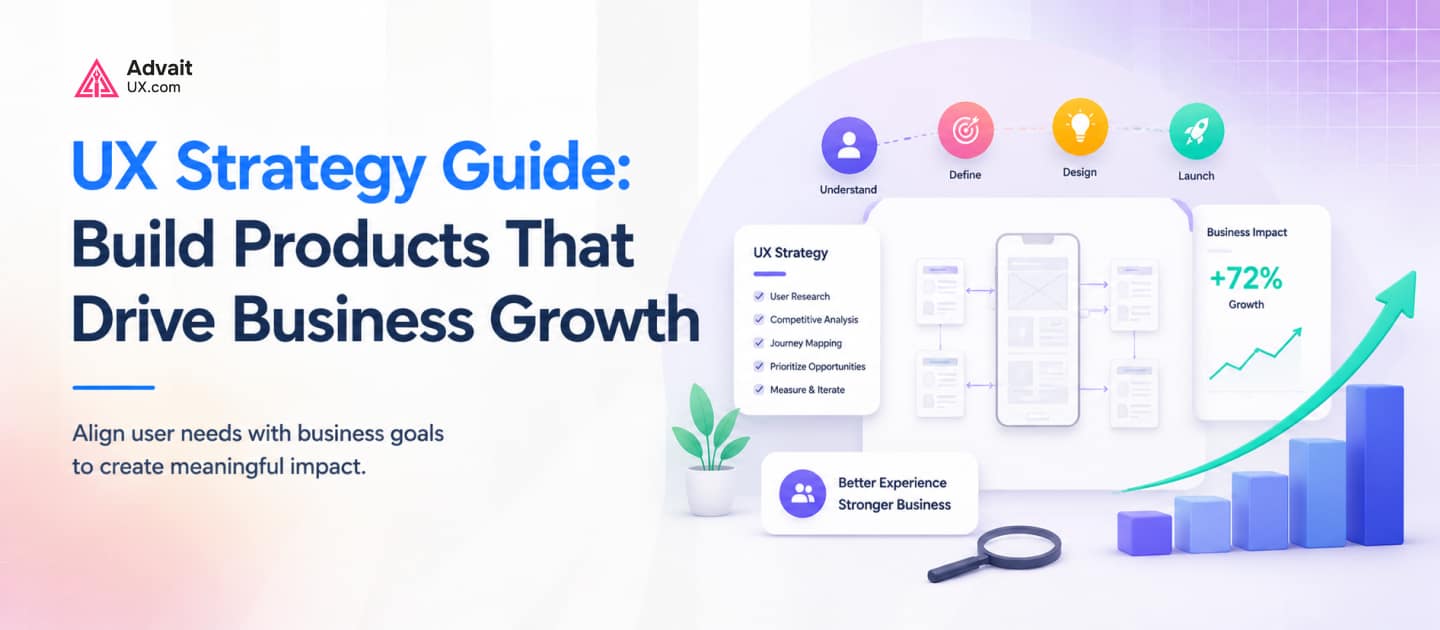
Step 1: Research users and business goals. Start by understanding who the product is for and what the business needs to achieve. This is the foundation everything else builds on.
Step 2: Identify UX problems. Look for friction points, drop-off moments, and mismatches between what users need and what the product currently offers.
Step 3: Create user journeys. Map out the full path users take, from first contact to ongoing use, to see where the experience breaks down.
Step 4: Build UX solutions. Design flows, structures, and interfaces that directly address the problems identified — not new features for their own sake.
Step 5: Test with users. Validate solutions with real people before rolling them out fully. Assumptions that felt obvious internally often don’t hold up in testing.
Step 6: Measure and improve. Track how changes affect real metrics — activation, retention, conversion — and keep refining based on what the data shows.
Common UX Strategy Mistakes Businesses Make
Designing without research is the most common one. Teams build based on internal opinions or competitor features, then discover after launch that users needed something different entirely.
Focusing only on visuals is a close second. A beautiful interface that doesn’t solve a real problem efficiently will still underperform. Visual polish matters, but it’s the finishing layer, not the foundation.
Ignoring user feedback, especially the feedback that contradicts internal assumptions, keeps teams solving imaginary problems while real ones go unaddressed.
Adding unnecessary features dilutes a product’s clarity. Every added feature increases cognitive load for users trying to find what they actually need. More isn’t always better — focused is usually better.
Not measuring UX success means teams can’t tell whether a redesign actually helped or quietly made things worse. Without clear metrics, UX decisions become subjective debates instead of data-informed choices.
Important UX Strategy Metrics to Track
Conversion rate shows how effectively a flow moves users toward a specific goal, like signing up or completing a purchase.
Retention rate reflects how many users keep coming back over time — often the clearest signal of whether a product delivers ongoing value.
Engagement rate measures how actively users interact with core features, not just whether they log in.
Customer satisfaction captures how people feel about their experience, often gathered through surveys or direct feedback.
Task completion rate tracks whether users can actually finish what they set out to do, without getting stuck or abandoning the flow.
User activation measures how quickly and how often new users reach that first meaningful moment of value inside the product.
UX Strategy Examples for Digital Products
SaaS platforms often use UX strategy to simplify onboarding, reducing the number of steps between signup and first value, which directly improves activation and reduces early churn.
Mobile apps benefit from UX strategy by prioritizing core actions within thumb-friendly reach and minimizing steps for frequent tasks, since mobile users have far less patience for friction than desktop users.
Fintech products rely heavily on UX strategy to balance trust and simplicity — presenting complex financial information in a way that feels transparent and secure without overwhelming the user with jargon.
Healthcare products use UX strategy to reduce cognitive load for users who may be stressed, unwell, or unfamiliar with technology, making clarity and accessibility non-negotiable design priorities.
Enterprise software applies UX strategy to manage complexity at scale, organizing dense feature sets and permissions systems so that different user roles can navigate the product without needing extensive training.
Future of UX Strategy
AI-powered experiences are reshaping how products anticipate user needs, moving from static interfaces to ones that adapt based on behavior in real time.
Personalization is becoming an expectation rather than a bonus feature. Users increasingly expect products to reflect their specific context, role, and history rather than presenting the same experience to everyone.
Data-driven UX decisions are replacing intuition-based design as more teams gain access to detailed behavioral analytics, letting strategy be shaped by evidence rather than assumption.
All of this points toward smarter digital products — ones that reduce user effort not just through good design, but through systems that learn and adjust over time. The businesses that build this thinking into their UX strategy now will be better positioned as these expectations become the norm.
How AdvaitUX Helps Businesses Build Better UX Strategies
At AdvaitUX, we work with startups, SaaS companies, and growing businesses that want their product to do more than look good — they want it to perform.
Our approach starts with understanding your users and your business goals before any screens get designed. From there, we help teams build UX strategy that translates directly into product decisions, covering:
- UX strategy — defining the direction before design begins
- Product design — turning strategy into interfaces that work
- UX audits — identifying where an existing product is losing users or conversions
- SaaS UX design — improving onboarding, activation, and retention for subscription products
- Product redesign — rebuilding flows and structures around real user behavior, not guesswork
Whether you’re building a new product or trying to fix one that’s underperforming, the goal is the same: design decisions that are grounded in evidence and connected to measurable business outcomes.
Frequently Asked Questions
1. What is UX strategy?
UX strategy is the planning process that connects user needs and business goals to guide product design decisions. It defines who the product serves, what problems it solves, and how success will be measured — before any interface is designed.
2. Why is UX strategy important for businesses?
Without a strategy, design decisions are based on internal opinions rather than evidence, which increases the risk of building features users don’t need while missing the ones they do. UX strategy reduces this risk and directs resources toward what actually moves the business forward.
3. How does UX strategy improve product growth?
It improves growth by removing friction throughout the user’s journey — from first signup to ongoing use — which directly affects conversion rates, activation, and retention. Products that reduce friction tend to grow through better word of mouth and lower churn.
4. What is the difference between UX design and UX strategy?
UX design is the visual and interactive execution — screens, layouts, and flows. UX strategy is the reasoning that comes before that execution, defining why the product should work a certain way based on user needs and business goals.
5. How do you create an effective UX strategy?
Start with research into both users and business objectives, identify friction points through journey mapping, design solutions around those insights, test them with real users, and continuously measure results to refine the approach over time.
6. Why do SaaS companies need UX strategy?
SaaS growth depends on users reaching value quickly and staying engaged over time. UX strategy directly shapes onboarding, activation, and retention — the core metrics that determine whether a subscription business grows or stalls.
Conclusion
UX strategy isn’t an extra step before design — it’s the foundation that makes design decisions worth making. Businesses that treat it as a real investment, rather than an afterthought, end up building products that require less guesswork and less costly rework down the line.
Designing around real user needs, instead of internal assumptions, is what separates products that quietly struggle from products that grow sustainably. It’s not about adding more. It’s about removing what gets in the way.
A strategic approach to UX pays off in the metrics that matter most to any business — conversion, retention, and long-term growth. And for companies serious about building something that lasts, that strategic thinking has to come first.