Key Takeaways
- UI/UX design isn’t an added cost — it’s a process that prevents far more expensive costs down the line.
- Poor design leads to scope creep, rework, technical debt, and expensive post-launch redesigns.
- User research catches wrong assumptions while they’re still cheap to fix, before any code is written.
- Prototyping lets teams test and validate ideas without committing engineering resources to unproven concepts.
- Design systems compound their savings over time by making every future feature faster to build.
- Well-designed products convert better, retain more users, and generate fewer support tickets.
- The most expensive product mistakes are usually assumption failures, not technical failures.
- ROI from good design shows up as fewer engineering hours, higher conversion rates, and lower long-term maintenance costs.
If you’ve ever watched a software project balloon past its budget, you already know the uncomfortable truth: the code usually isn’t what breaks the bank. It’s the rework. The “let’s redo this screen” conversations. The features nobody asked for. The redesign six months after launch because users couldn’t figure out how to complete a simple task.
Most businesses treat UI/UX design as a line item they can trim to save money. In practice, it’s often the opposite — a well-run design process is one of the cheapest insurance policies a product team can buy. Skip it, and you pay for it later, usually with interest.
This article breaks down exactly how strategic UI/UX design lowers development costs, where the money actually leaks out of underdesigned projects, and what a smarter process looks like in practice. Whether you’re a startup founder scoping your first MVP, a product manager trying to justify a design budget, or an enterprise team tired of expensive rebuilds, you’ll find practical, real-world guidance here — not textbook theory.
Why UI/UX Design Should Start Before Development
There’s a pattern that shows up over and over in software projects that run over budget: design and development start at the same time, or worse, design happens after engineers have already started building. It feels efficient in the moment — why wait? — but it almost always costs more in the end.
Planning prevents guessing. When a design process happens first, the team is forced to answer hard questions before a single line of code gets written: Who is this for? What problem are we actually solving? What does “done” look like? Skipping this step doesn’t make the questions go away — it just delays them until they’re far more expensive to answer, usually mid-sprint when a developer asks “wait, what’s supposed to happen when the user clicks this?”
Product validation happens on paper, not in production. A wireframe or a clickable prototype can be tested with real users in a few days. A built feature takes weeks and involves a much larger team. Validating ideas early — before backend logic, database schemas, and API contracts are locked in — means the expensive part of the process (engineering) is only spent on ideas that have already been vetted.
Clear requirements reduce ambiguity for developers. Engineers are far more productive when they’re building from a well-documented user flow than when they’re interpreting a vague spec or a founder’s mental model. Every ambiguous requirement is a decision point where a developer either has to stop and ask, guess and move forward, or build the wrong thing entirely. UI/UX design — done properly — turns fuzzy ideas into concrete, buildable specifications.
The businesses that treat design as a first step, not an afterthought, consistently spend less on development — not because they’re doing less work, but because they’re doing the right work in the right order.
How Poor UI/UX Increases Development Costs
If you want to understand why UI/UX Designer financially, it helps to look at what happens when it’s skipped or rushed. The costs don’t show up as a single line item — they show up scattered across the project timeline, disguised as “normal” development friction.
Scope creep. Without a clear, validated design, it’s easy for a project to grow feature by feature as new ideas surface mid-build. Each addition seems small, but collectively they push timelines and budgets far past the original estimate.
Constant revisions. When decisions about layout, flow, or functionality get made on the fly, teams end up rebuilding the same screens multiple times. A feature that should have taken one development cycle stretches into three, not because the code was wrong, but because the design kept changing underneath it.
Developer rework. Engineers are expensive, and their time is the most costly resource in most software budgets. When a design isn’t finalized before development starts, developers end up building something, having it rejected in review, and rebuilding it — sometimes more than once. That’s engineering hours spent on work that produces no forward progress.
Technical debt. Rushed UI decisions often lead to rushed technical implementations. A dropdown that should have been a multi-step flow, a form that should have been broken into stages — these shortcuts pile up as technical debt that slows down every future feature built on top of them.
User dissatisfaction. Products that ship without proper usability consideration tend to confuse users. That confusion shows up as support tickets, churn, and negative reviews — all of which cost money to address after the fact, and all of which are far more expensive to fix post-launch than pre-launch.
Consider a common real-world scenario: a SaaS startup builds an onboarding flow based on internal assumptions about what new users need, skipping usability testing to save time. Three months post-launch, analytics show a steep drop-off during onboarding. The team has to pause new feature development, diagnose the problem, redesign the flow, and rebuild it — work that could have been avoided with a few usability testing sessions before the original build began. The redesign ends up costing more, in both time and money, than the research would have.
How Smart UI/UX Design Saves Money
Smart UI/UX design isn’t about making things look nice — though good visual design matters too. It’s a structured process that removes guesswork from development, and every stage of that process has a direct connection to cost savings.
User research grounds the entire project in real needs instead of assumptions. It’s far cheaper to learn that an assumption was wrong during a research interview than after a feature has shipped.
Customer interviews surface the specific language, workflows, and pain points of the people who will actually use the product. This reduces the number of “we didn’t think of that” moments that would otherwise require mid-development changes.
Information architecture — the way content and features are organized — determines how intuitive a product feels. Getting this right early prevents the kind of structural rework that touches multiple screens and, often, the underlying data model.
User flows map out exactly how someone moves through a task from start to finish. When developers have a clear flow to build from, there’s far less ambiguity about edge cases, error states, and what happens next — all of which reduces back-and-forth during development.
Wireframes let teams test structure and logic before investing in visual design or code. They’re quick to produce and even quicker to change, which makes them one of the cheapest tools for catching problems early.
Interactive prototypes simulate the real product closely enough that they can be user-tested, demoed to stakeholders, and used to validate decisions — all before a single feature is actually built.
Each of these steps might look like it’s adding time to the front end of a project. In reality, they’re removing far more time from the middle and end of the project, where change is expensive and mistakes are harder to undo.
The Role of UX Research in Preventing Costly Mistakes
Most expensive product mistakes aren’t technical failures — they’re assumption failures. The team builds something functional and well-engineered, but it solves a problem users don’t actually have, or solves it in a way that doesn’t match how people actually think and work. UX research exists specifically to catch these mistakes before they become code.
User interviews are one of the highest-value, lowest-cost research tools available. A handful of structured conversations with real or prospective users can reveal misunderstandings about the target audience that would otherwise take months (and a failed launch) to uncover.
Surveys allow teams to validate patterns across a larger group, confirming whether what they heard in interviews reflects the broader user base or was just one person’s opinion.
Journey mapping lays out the full experience a user has with a product or service, including the parts that happen before and after they interact with the Agile Software Development itself. This often reveals opportunities — or problems — that a narrow focus on the interface alone would miss.
Personas keep teams grounded in who they’re actually designing for. Without them, it’s easy for a product to slowly drift toward serving the loudest internal voice in the room instead of the actual customer.
Competitor analysis shows what’s already been tried, what’s working in the market, and where there’s room to differentiate — preventing teams from investing engineering time reinventing a solved problem or repeating a competitor’s known mistake.
Early validation ties all of this together. The goal isn’t research for its own sake — it’s confirming, before development begins, that the thing being built is worth building. That single checkpoint prevents the most expensive mistake possible in software: building the wrong product entirely.
Why Prototyping Is Cheaper Than Rebuilding
There’s a simple economic principle at the heart of prototyping: it is always cheaper to change a mockup than to change shipped code. Every stage a decision moves through — from sketch to wireframe to prototype to production code — makes that decision more expensive to reverse.
Clickable prototypes simulate real interactions closely enough that users, stakeholders, and internal teams can react to something that feels real, without a developer having written a single line of production code.
User feedback gathered on a prototype identifies confusion, friction, and missing functionality while those issues still cost a design iteration to fix, not a development sprint.
Iteration is fast and cheap at the prototype stage. Teams can test three different approaches to a checkout flow in the time it would take to build one of them in code, then move forward with the version that actually tested well.
The math is straightforward: an extra week spent prototyping and testing a complex feature is almost always cheaper than the multiple development cycles it would take to fix that same feature after it’s built the wrong way.
How Design Systems Reduce Long-Term Development Costs
While research and prototyping save money early in a project, design systems are where the savings compound over time. A design system is a shared library of reusable components, patterns, and guidelines — buttons, forms, navigation elements, color rules, spacing standards — that both designers and developers pull from instead of building from scratch each time.
Component libraries mean a developer building a new feature doesn’t need to design and code a dropdown menu from zero. It already exists, it’s already been tested, and it already matches the rest of the product.
Reusable UI dramatically speeds up development on every feature built after the design system is in place. The first few features take standard time to build; every feature after that benefits from a growing library of proven, ready-to-use pieces.
Consistency reduces the cognitive load on users, which reduces support requests and training costs — and it reduces decision fatigue on the design and development side, since teams aren’t re-litigating what a button should look like every sprint.
Faster development is the direct, measurable outcome. Teams working from a mature design system consistently ship features faster than teams designing and building each screen as a one-off.
Easier maintenance follows naturally. When a design element needs to be updated — a button style, a form validation pattern — it’s changed once in the design system and propagates everywhere it’s used, instead of requiring a developer to hunt down and manually update every individual instance across the codebase.
Team collaboration improves because designers and developers are speaking the same language, working from the same source of truth, and no longer relitigating basic interface decisions in every sprint planning meeting.
For companies building multiple products, or a single product that will grow over years, a design system isn’t a nice-to-have. It’s one of the highest-leverage investments available for controlling long-term development costs.
Real Business Benefits of Investing in UI/UX
The cost savings from smart UI/UX design aren’t limited to the development budget itself. They ripple outward into nearly every part of the business.
- Faster product launches — because decisions are made and validated before development begins, teams spend less time in the build phase resolving ambiguity.
- Better user satisfaction — products that are genuinely easy to use generate fewer complaints and more positive word of mouth.
- Higher conversions — a well-designed signup flow, checkout process, or onboarding experience directly increases the percentage of visitors who become customers.
- Lower support costs — intuitive interfaces generate fewer confused users, which means fewer support tickets and a smaller support team needed to handle them.
- Higher customer retention — users stick with products that feel effortless and abandon products that feel frustrating, regardless of how powerful the underlying functionality is.
- Better product adoption — new features get used when they’re easy to discover and understand; poorly designed features often go unused no matter how valuable they are.
These outcomes matter because development cost isn’t the only cost that counts. A product that’s cheap to build but expensive to support, or that fails to convert or retain users, hasn’t actually saved the business money — it’s just moved the cost somewhere else on the balance sheet.
Common UI/UX Mistakes That Waste Development Budgets
Even well-intentioned teams fall into predictable traps that quietly drain development budgets. Recognizing these patterns early is often enough to avoid them entirely.
Skipping research to save time upfront almost always costs more time later, once assumptions turn out to be wrong after the product is built.
Designing during development — making layout and flow decisions in real time as engineers build — leads to constant rework, because design and development are happening in the wrong order.
Ignoring usability testing means the first real feedback a product gets is from paying customers, which is the most expensive and reputation-damaging way to discover a usability problem.
Feature overload happens when teams add functionality without validating whether users actually need it, spending engineering time on features that ultimately go unused or, worse, make the product harder to navigate.
Inconsistent interfaces — where similar actions look and behave differently across a product — confuse users and slow down development, since every screen has to be designed and built as a one-off instead of reusing established patterns.
Poor navigation structures force users to hunt for basic functionality, increasing support burden and reducing the likelihood that users discover the full value of the product.
Each of these mistakes is avoidable with a disciplined design process. None of them are exotic or rare — they show up in the majority of over-budget, over-schedule software projects, which is exactly why they’re worth naming explicitly.
UI/UX ROI: Why Great Design Pays for Itself
It’s worth being concrete about how UI/UX investment translates into return on investment, because “good design pays for itself” can sound like a platitude without the math behind it.
Reduced development hours are the most direct return. If proper design work prevents even one major redesign cycle — commonly weeks of engineering time — the design investment has already paid for itself several times over, since design work is typically a fraction of the cost of a comparable amount of development time.
Lower maintenance costs accumulate over the life of a product. A well-architected interface with a design system behind it is measurably cheaper to update, extend, and maintain than a patchwork of one-off screens.
Increased revenue comes from the direct link between usability and conversion. Even small improvements in a checkout or signup flow — often the result of a single round of usability testing — can meaningfully increase the number of users who complete a desired action.
Better customer loyalty reduces the cost of customer acquisition over time, since it’s consistently cheaper to retain an existing customer than to acquire a new one.
Improved conversion rates compound across the lifetime of a product. A funnel that converts a few percentage points better, sustained over months or years, represents real revenue that a poorly designed alternative would have left on the table.
Here’s a simplified way to think about it: if a redesign avoided by proper upfront UX work would have cost, say, six weeks of a development team’s time, and that team’s time is priced accordingly, the design work that prevented it likely cost a fraction of that — while also shipping a better product on the first attempt. That’s the practical shape of UI/UX ROI: it’s not abstract, it shows up directly in hours saved, revenue gained, and support tickets that never got filed.
How a Professional UI/UX Partner Helps Businesses Build Better Digital Products
None of this works as a checklist you follow once. It’s a discipline — research, validation, iteration, and reuse — applied consistently across a product’s lifecycle. That’s exactly why many businesses choose to bring in an experienced UI/UX partner rather than treating design as an internal afterthought.
Rather than treating design as a visual polish step tacked onto the end of a project, a good design partner works with businesses to validate ideas early, before engineering resources are committed to unproven concepts. That means real user research, real prototypes tested with real users, and design decisions made with evidence rather than internal opinion.
For startups, this often looks like helping founders pressure-test an MVP concept before a single feature is built, so the limited runway available goes toward building something the market actually wants. For SaaS companies and enterprises, it more often means building out design systems and usability practices that scale — so that every new feature after the first one gets built faster, more consistently, and with fewer surprises for the development team.
The throughline across all of it is the same principle this article has been making: good design isn’t a cost center sitting opposite the development budget. It’s the process that protects that budget — reducing rework, catching problems while they’re still cheap to fix, and giving development teams a clear, validated foundation to build from. Whether the goal is launching an MVP faster, scaling a SaaS product without ballooning maintenance costs, or fixing a product that’s already accumulated too much usability debt, that’s the kind of groundwork the right UI/UX partner provides.
Expert Tips for Reducing Development Costs Through Better Design
- Start design before you write a single ticket. Even a rough round of wireframes surfaces questions that are far cheaper to answer on paper than in a sprint retro.
- Test with 5 users before you test with 5,000. Small-sample usability testing catches the majority of major usability problems — you don’t need a large study to get useful signal.
- Build a design system as early as reasonably possible. The earlier it exists, the more development time it saves across the life of the product.
- Treat prototypes as disposable. The whole point of a prototype is that it’s cheap to throw away and redo. Don’t get precious about early versions.
- Involve developers in design reviews. Catching technical constraints during design, not during a sprint, avoids late-stage redesigns triggered by implementation reality.
- Budget for research the same way you budget for QA. Nobody questions spending on testing code before launch; testing the design deserves the same default.
- Don’t let design and development timelines overlap for the same feature. Finish validating a feature’s design before engineering starts building it, even if that means a short lag in the schedule.
- Revisit your design system regularly. A stale design system that no longer matches the product creates as much friction as having no system at all.
- Track support tickets by feature. A spike in confusion around a specific screen is a strong, cheap signal that a usability fix will pay for itself quickly.
- Make usability testing a habit, not a one-time event. Products evolve, and so do users’ expectations — ongoing testing keeps development spend aligned with what users actually need.
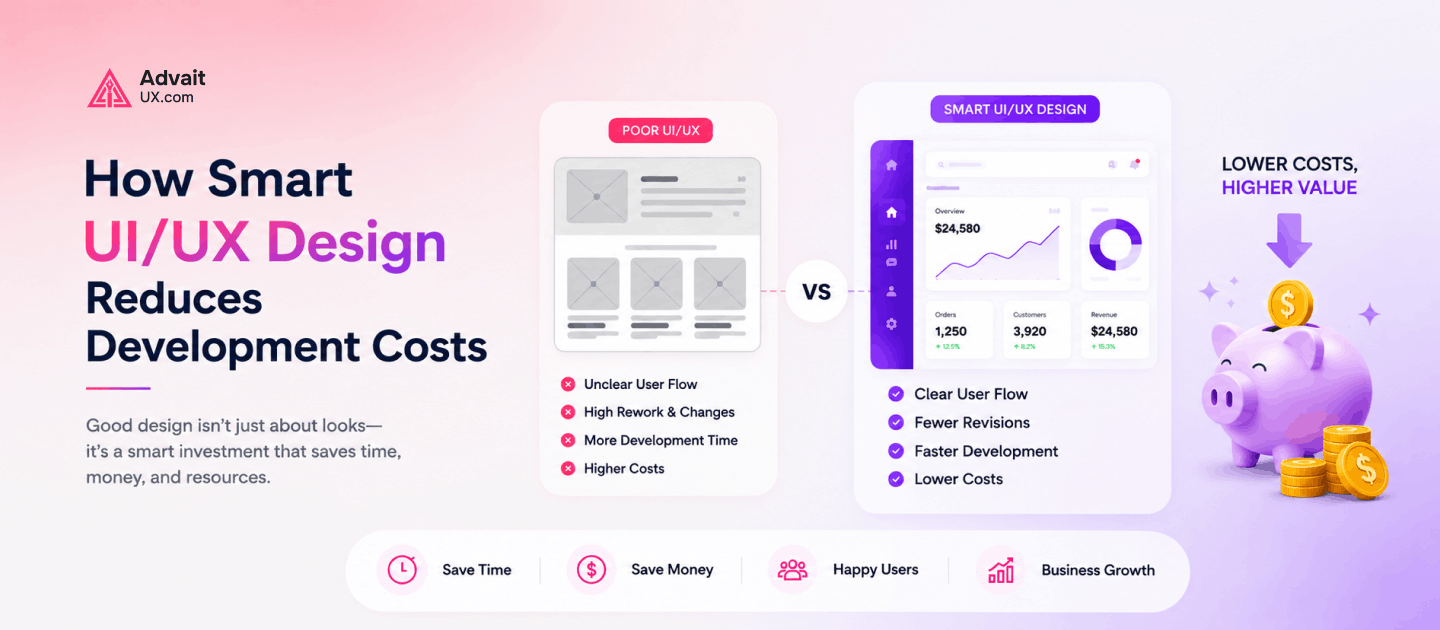
Poor UI/UX vs. Smart UI/UX: A Side-by-Side Comparison
| Factor | Poor UI/UX Process | Smart UI/UX Process |
|---|---|---|
| Cost | Higher overall spend due to rework and redesigns | Lower overall spend; costs are front-loaded and predictable |
| Development time | Extended by revisions and scope creep | Shortened by clear, validated requirements |
| User satisfaction | Lower, due to usability friction discovered post-launch | Higher, because usability issues are caught before launch |
| Rework | Frequent, often touching shipped code | Minimal, since most rework happens in cheap design iterations |
| Testing | Delayed until after launch, if done at all | Built into the process before development begins |
| Scalability | Difficult; inconsistent patterns slow future development | Easier; design systems support fast, consistent growth |
| Maintenance | Expensive and fragile due to one-off implementations | Efficient, thanks to reusable, well-documented components |
FAQs
1. How does UI/UX reduce development costs?
By validating ideas, flows, and requirements before development starts, UI/UX design prevents the rework, scope creep, and post-launch redesigns that are typically the biggest drivers of budget overruns.
2. Why is UX research important?
UX research confirms whether assumptions about users and their needs are accurate before those assumptions get built into code. Catching a wrong assumption during research costs far less than catching it after launch.
3. Is UI/UX worth the investment?
For most software projects, yes. The upfront cost of design work is typically a fraction of what a single major redesign or rebuild would cost, making it one of the higher-return investments available in a product budget.
4. Does prototyping save money?
Yes. Prototypes let teams test and validate ideas without engineering resources, meaning changes happen at the design stage — which is far cheaper — instead of after code has already been written.
5. What is a design system?
A design system is a shared library of reusable components, patterns, and guidelines that designers and developers use to build consistent interfaces faster, without redesigning and recoding common elements from scratch each time.
6. How does UX improve ROI?
Good UX increases conversion rates, reduces support costs, and improves retention, while also reducing the engineering hours spent on rework — all of which directly improve the return on a product’s development investment.